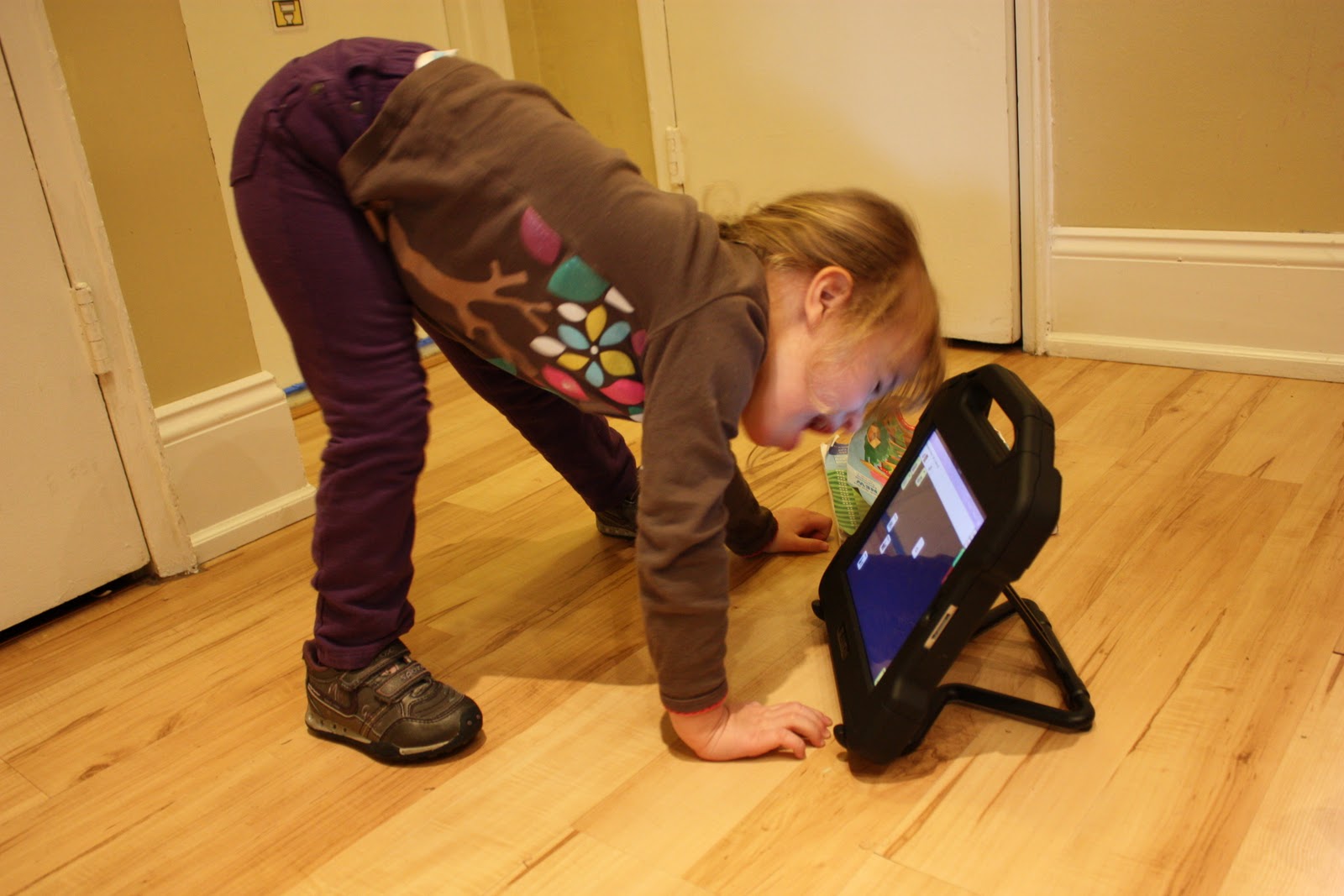
Showing posts with label Proloquo2go. Show all posts

Thursday, June 7, 2012

I'm the mom, but I'm not "just the mom"

This is an open response to the types of comments mentioned in the first paragraph.  If you're not involved in special needs care and therapies, these abbreviations might help you out:  AAC= Augmentative and Alternative Communication, SLP= Speech-Language Pathologist, AT= Assistive Technology, ATP= Assistive Technology Professional.


Over the past few weeks I’ve encountered an interesting divide/debate . . . an undercurrent in some comments made online by professionals (SLPs, AAC specialists or AT specialists) that either state or imply the following:  Parents should not be able to just choose iPad apps to use therapeutically or with regards to AAC (augmentative and alternative communication---using an app to communicate, the way that Maya does) without deferring to a professional. 

For obvious reasons, these comments make me bristle.  They imply (and sometimes state) that parents are naïve and uneducated about apps/devices and are just looking for a quick fix.  They also imply that parents are choosing to take matters into their own hands, rather than acknowledging the far more likely alternative: we would love--- LOVE--- an expert to arrive at our door, thoroughly assess our child, select the appropriate AAC device or app, design a plan to introduce that app, train us in how to implement it at home using best practices, and meet with us regularly to help the family progress in using the AAC.  

Please.  Send them our way.  Or tell us where to find them.

Because I looked.  And I searched.  And I wasn’t successful.*

I live in New York City, and while the city is short on therapists (like everywhere else) it generally has a solid amount of resources, if you’re willing to search for, fight for, and wait for them.  We have been fortunate enough to have extensive therapies for Maya from the time she was about 10 months old.  I’ve come to know a lot of therapists.  Maya attends an excellent preschool for children with special needs, staffed with extremely knowledgeable professionals. I am plugged into a network of special needs parents who know “all-of-the-best-xyzs” (doctors, therapists, homeopaths, etc).  I thought, surely, that when it was time for us to dive into AAC there would be a handful of “experts” at our disposal.

I was wrong.  Well, mostly.

Last fall, when I felt like it was time for Maya to move from her Word Book and commit to a legitimate, long-lasting, high tech AAC solution (as opposed to just the customization of Proloquo2Go that I had toyed with at home), I did what all parents do: I asked the professionals. Because that’s what we’re supposed to do—ask the people who work with our children for input and advice.  Certainly, they are more informed than I am about the available options in communication technology, right? 

As it turned out . . . not really.

And let me be very quick to say that this isn’t their fault.  Special educators specialize in meeting the diverse educational  needs of children with disabilities, but aren’t required to stay up to date on the changing field of assistive technology (which is a huge, rapidly shifting world, especially when iPad apps are considered).  Physical therapists and occupational therapists clearly weren’t the people to ask (except perhaps for physical access ideas).  And the SLPs?  I love our SLPs (all 3 of them).  The PROMPT therapist that we see focuses on oral motor stuff—she wasn’t going to guide our device selection.  Our home therapist loves and pushes Maya every week, and she knows a staggering amount about language development and eliciting sounds from my willful child . . . but AAC technology is not one of her areas of expertise.  Nor should it be, actually . . . or so says ASHA, the licensing body of all SLPs.

Per my friend the ATP: ASHA does not obligate SLPs to have expertise in AAC.  Most speech programs here in New York City offer future SLPs no more than one generalized class in AAC (and rarely have access to real devices or apps).  ASHA’s position is that the field of AAC is not owned by Speech, but rather based on experience:

"The SLP is expected to be able to recognize the limits of his/her expertise and issue referrals to appropriate colleagues as necessary."..."The SLP must acknowledge the need for expertise from other service providers who may include, but certainly not be limited to, physician, occupational therapist, physical therapist, vision specialist, rehabilitative engineer, teacher, psychologist, behavior consultant, and social worker. No less significant is input from parents, spouses, employers, and significant others.”**

Anyway, back to the SLPs:  The SLP at Maya’s preschool did exactly the right thing-she called in the assistive technology (AT) experts by writing a referral to get Maya an evaluation with the AT team that serves the NYC DOE.  At the time of the evaluation Maya had been working with the Word Book for 1-2 weeks and I could see how quickly she was soaking it up.  She had some experience navigating through screens on Proloquo2Go (an iPad app), although I was disenchanted with its organization.  I had already hosted representatives from Dynavox and Prentke Romich in my home, unbeknownst to the AT evaluation team, to evaluate their devices and determine whether one would fit Maya.  I eagerly waited to meet with the team, let Maya (then almost 3.5 yrs old) show off her emerging skills, and get matched with a dynamic device that would grow with her.

But they said she wasn’t ready. 

She was ready.

They said “We know, mom, that you want her to be ready, but a dynamic device would be too much for her right now.”

Even though she already had experience using a dynamic device. 

They said “Don’t worry, she can use this instead, and we’ll come back to reevaluate her in a year.”

Don’t worry, little girl, we will come back next year and maybe then we will grant you a device with more words.  Until then you can manage with 32 carefully chosen words at a time, we are sure.  You don’t need more words than that.  You may think that you do, but we know better.

I heard “Of course you think she could do more, because you’re the mom.  Trust us about this, though . . . we’re the experts.  We did, after all, spend 3 hours with her in this small, crowded office.  We know what she needs, and what she’s capable of, more than you do.   We are qualified to make this assessment.  You are not.”

And I hung my head and signed their papers, just to get any AT on her IEP, and when I left the building and lifted my head silent tears slid down my cheeks and I resolved, again, to figure this out on my own.  Because although I was “just the mom,” and while I wasn’t technically qualified to determine and implement AAC, I was clearly going to be the best shot that Maya had.

Again: I’m in a large city.  I’m an outspoken advocate.  My daughter is in an excellent special needs preschool.  I was willing to ask for help and consulted with a private ATP prior to the DOE AT evaluation.  And despite all of this, I still couldn’t locate an AAC specialist who would be able to match us with a product, design an implementation plan, and work with us.  Which makes me wonder how many people across the country (and worldwide, for that matter) have no choice but to try to go it alone . . . not because they feel like they are the best qualified person to make these AAC decisions, but because they’re the only candidate who’s shown up for the job.

And lest you think that I’m advocating for parents to write off professionals and just do it themselves----this is where I clearly state that I think that some parents go about do-it-yourself AAC (and do-it-yourself many other things, for that matter) the wrong way.  Picking a communication app because you saw it on 60 Minutes, or your neighbor’s friend’s kid used this app to communicate, or it-was-one-of-the-cheapest-ones-in-the-iTunes-store-so-why-not-just-try-it-out-because-we’ve-got-nothing-to-lose-anyway . . . these are the wrong ways.  You’re not trying out a new couch, you’re choosing an entire communication system that you hope your child will be interested in and become attached to.  And, if you’re looking for something long-term with growth potential, you’re not just picking a cheap app that will say a few words, you’re attempting to pick a system that has been developed by intelligent people who know about language, designed to make good linguistic sense.  I was all too aware that the device/app that I chose for Maya would affect the way that she learns to process language, the way that she begins to form phrases and sentences, the actual mapping of her brain.

It’s a lot of freaking pressure.

If you’re doing it right, you don’t just pop open the app store and download something.  Because even if you bought the best app around---here’s the key: the app doesn’t magically unlock language (not for most people, anyway).  Researching, buying, and downloading an app is the easy part (although it sure didn’t feel easy at the time).  Per my ATP friend, “Apps have very little to do with the effectiveness of AAC, it’s the configuration and implementation of the AAC approach that is far more important.  The app doesn’t elicit speech/communication from a person, the treatment approach does.” 

You need to not only research the devices or apps, but how to implement them. When the app is downloaded, and you sit down with your child and open it up . . . well, then what?  There’s a lot of homework to be done before sitting down at that table.

And so, I’ve done my homework (and continue to, daily).  I’ve read myself in circles-speech websites, scientific journal articles (with a highlighter, a notepad, and a window open on the computer in which I can google diagnoses, protocols, and best practice techniques to get a clearer understanding of the information in the paper that might initially go over my head). I read the LAMP manual, and a handful of speech, apraxia, and late-talker books. I follow speech and AAC people on Twitter, and I devour the links and information floating through their online communities.  I attend workshops: on apps for kids with special needs, on early literacy for children with special needs, on the Kaufman Protocol for children with apraxia, and I’m heading to the ISAAC conference in Pittsburgh this summer. 

I’m learning as much as I can, but it sometimes still feels like not enough.  Not when the reality of the situation is that the decisions that I make when I sit down with Maya and the talker are teaching her language.  I am showing her how to form sentences.  She uses the app at school, but most of the teaching is occurring at home with me.  The payoff is gigantic, but the pressure is great.  And I don’t want to mess it up.

I am not an expert.  Maya is the first preschooler that I’ve ever worked with, on AAC or otherwise (I used to teach middle school science, which, as I’m sure you can imagine, is very different than preschool linguistics).  I recognize my limitations as “just the mom” . . . and, rather than naively or ignorantly plowing ahead, assuming that I know best, I attempt to do what any intelligent person would do when they are unsure of how to best proceed.  I find someone who knows more than me, and I ask them.

To that end, I’m eternally grateful to the SLPs and ATPs that I’ve connected with online and off, who answer tweets and emails when I get stuck on how to move ahead following best practices, rather than just haphazardly.  A small group has been willing to reach out without judgment---without telling me that I “should really find a specialist to work with”, since I’m “just the mom” (because believe me, I’ve gotten responses along those lines, too).  And answering my questions is no small feat, since with every bit of progress that Maya makes I find myself facing another wait-how-can-I-do-this-best moment.  Here are some recent examples:  When using the device, should I model “I am hungry” or “I’m hungry”? What phrases should be considered as stand-alone buttons? Can you share some ideas for highlighting core vocabulary across many different settings? When do I start prompting her for more words, or building phrases like “I want milk” instead of just “milk”, and when do I back off, not wanting to frustrate her if she’s clearly telling me something with her one word choice?  What about the “I want” debate---I’ve heard some people speak out against the overuse of “I want”s, so when is it appropriate and when should they be avoided?

I know that I’m not an expert, and I make no claim to be one.  I also know that I’m the best option that Maya has right now, and that I will guide her towards more fluent communication with the best of my ability, consulting as many professionals as I can along the way.  And I will say, with certainty, that at this point I know a solid amount about apps, devices, and best practices in implementing AAC.  None of the therapists that we’ve worked with have ever expressed concern or displeasure that I am the leader of our push into AAC.  Even ASHA seems to support the I’m-driving-this-bus-myself position that I’ve found myself in, stating "It is strongly recommended that the AAC team be driven by the client and his/her family to the greatest extent possible. Part of the AAC program should be dedicated to finding and implementing ways in which the client can have maximal input regarding the disposition of the program."**

So, I may be the mom, but I am not “just the mom.”

I resent the assumption made by some professionals that parents who take matters into their own hands are taking the easy way out by just buying any app instead of working with a specialist.  My hand was forced.  This wasn’t my plan.  If there had been experts available I would have gladly passed this job to them, but there weren’t and so here we are.  I also resent the assumption made by some professionals that parents who take matters into their own hands are uninformed by default.  I’ve done everything- every thing- that I can think of to educate myself about AAC.  I looked before I leapt.  And while I can’t speak for them personally, I’m sure that there are many, many other parents who have done the same.

I hope that our story brings to light the personal aspect of what has happened when a family becomes the driving force behind the decision to implement AAC.  My goal here is to show that many, many parents feel obligated to push for AAC, whether they are trying to buy devices privately or to set up a plan with an iPad app, not because they feel like they know it all or they’re trying to take the easy way out . . . but because they have a child that they desperately want to give a voice to, and they don’t know who else to ask for help.  In addition, many of us are devoting huge amounts of time, energy, and money into educating ourselves (and, in turn, educating our family members, friends, and professionals who work with our children) about how to implement AAC and teach our children.  We are not naïve.  We are trying our best.

I’ve met parents who think they know everything (when they clearly don’t) and professionals who think that they know everything (when they clearly don’t).  I’ve also met individuals in each of those groups who are amazingly well versed and knowledgeable.  A little humility, combined with the fact that we’re all working towards the same goal, goes a long way in each direction.  Parents or professionals, we’re all just people who are sincerely doing the best that we can to help children find their voices. 


*I was able to find one extremely highly regarded AAC specialist in the city, but her waiting list for an evaluation was months long. I couldn’t make Maya wait months when I could see that she was ready.  She didn’t deserve that.  There must be others out there, but I couldn’t find them when I needed them.  I imagine many other parents, worldwide, face the same challenge.

**ASHA quotes come from this article: Roles and Responsibilities of Speech-Language Pathologists With Respect to Augmentative and Alternative Communication: Technical Report and can be found in the "Roles of the Speech-Language Pathologist" section

Monday, January 9, 2012

The search is over. We've found our communication solution.

If you've been with us for a while, you know that for a while (a little over a year, now).  Actually, almost exactly a year ago I dove in with the iPad, trying to customize Proloquo2Go in a way that would make sense to use with Maya (who was 2.5 at the time).  We used it on and off but it just didn't stick.  When school started in the fall, we re-sharpened our focus on communication, trying a variety of things:  the Word Book, the iPad, and finally, fighting for a trial with a full communication device (the Dynavox Maestro).

About 2 weeks in, I realized that the Dynavox wasn't what I was hoping it would be.  It was too big, for one, and poor Maya had no chance at carrying it anywhere.  More importantly, the grammar was cumbersome.  The pop-up windows were confusing.  The buttons kept moving---one one screen "clear" would be in the upper left, on another screen it would jump over to the right.  Some screens had no "clear" at all.  We couldn't find a rhythm.

I met with Maya's teacher and we were on the same page---the Dynavox was a bust.  Back to the drawing board.  I decided to take the holidays off, and planned to jump back in to the communication search in January.  Now that I had seen first hand that the devices aren't always magical, I was going to re-focus on the app market.  Surely, there must be something that could work.

And then something awesome happened.

I got a Facebook message from a childhood friend (who is now a SLP), along the lines of "Hey, I saw this new app (released Dec. 21st) and thought of your big app search.  Check it out."   I poked around and found the demo video for the app and started playing it, only watching halfway as I poked around online.  About fifty seconds in, they had my attention.  A minute and thirty seconds in I was thinking Huh.  This is actually pretty clever. After watching the first two minutes and forty seconds I was completely sold (and the cool features just kept coming).  This app is brilliant.  Brilliant.

Our search is over.  There is no other app---or even device---that I've come across that is as smart, easy to customize, clear, and logical as this app.  It's a huge relief, and really exciting, to have found something that has the ability to start working immediately, and also the growth potential to use it forever.  For as long as she needs assistive technology to communicate, this app will fit her. 

She won't ever outgrow it, but it's not too complex to jump right into.  

It's perfect.

It's called Speak for Yourself. (SfY)

I downloaded SfY yesterday morning, and spent some time throughout the day learning to customize it (which is remarkably easy, compared to some of the devices I've seen). 

First, let me tell you about it:
  • Speak for Yourself is a full communication app.  It's highly (and easily) customizable.  It comes pre-programmed with about 5,000 words, and you can add, delete & move words. (it can hold up to 14,000 words, and has a QWERTY keyboard)
  • SfY is based on core word data, so the words are organized in a way that makes sense in terms of which words are used more often. 
  • The words stay in the same place.  This is a big one.  Whether you're using the app as a 20-word device or a 10,000 word device, the word "eat" will always be in the same exact location on the screen. This allows for motor planning memory in a way that I haven't seen any other apps attempt. (Maya already knows that alligator is on the top left of the screen with the animals, and it will never move from that spot.) 
  • It's super quick to program.  Adding buttons, opening & closing buttons, etc, each only take a few seconds.
  • You can't get lost.  In only takes 2 taps to say any word (and you can actually change that to make the first screen 1 tap words, for a beginner).  If you're in a secondary screen the blue "home" key is always in the same spot, and returns you to the main screen.   
I figured that it would be easier to understand what I'm talking about if you could see it, so here you go:  (also, eesh.  I've never tried to videotape myself before, so my head's cut off a bit.  And the iPad has a glare here and there.  I tried.)


Yesterday morning, right after I downloaded SfY, Maya saw me toying with the iPad and came over to see what I was doing.  After about thirty seconds I told Dave "get up and get the video camera!" because it was really neat to see how enthusiastically she responded to it.

Here's that video.  Look at how excited she is.  And notice how quickly she gets the hang of it:


So, the downside?  I don't see much.  No app (or device) is one-size-fits-all, so Speak for Yourself wouldn't work for everyone.  Our biggest challenge will be the fine motor component, being able to isolate a finger and touch only one button one time (this would be a challenge with any device or app).  I'm hoping that SfY will be motivating enough that it will actually build in some nice OT practice for us :)

Now comes the biggest variable---Maya.  We've got the perfect technology, and it's time to get her on board.  I'll be meeting with her teacher later this week to give her a demo, and then we'll start using it full time.  If anyone has any great getting-your-kid-started-on-their device advice, feel free to send it my way.


She was a little overexcited.  Hee hee.
I expect that I'm going to share a lot more about SfY and the progress that we make with it.  I can't wait :)


Here's that demo video that got my attention.

Here is Speak for Yourself in the iTunes store.  It's kind of expensive but, compared to other communication apps, I think it's well worth it.  I'm happy to answer questions if you have them.  You can also reach the creators of the app here.


Monday, October 24, 2011

My kid is nonverbal, we use an iPad, and I still didn't like that piece on 60 Minutes

Last night there was a piece on 60 Minutes that has everyone in the special needs community talking (or at least tweeting and posting on Facebook).  The segment, which can be viewed on their website, was about nonverbal kids who can use iPads to communicate.


Wait, no it wasn’t.


It was about kids with special needs, primarily nonverbal, who can use the iPads to communicate and for other educational purposes.


No, no.  That’s not quite right either.


Ok, for real this time.  It was called “Apps for Autism”.  And, frankly, that pitch had me annoyed before Lesley Stahl even began her introduction. 


Don’t get me wrong—I’ve got nothing but love for children with autism, and their families.  I’m sure that many of you reading this right now are a part of the autism community.  However, I think that “autism” also has a magical buzzword factor that “special needs” is lacking.  I would have greatly preferred a piece about “Apps for Special Needs” or how about just “Apps for Communication”?  “Apps for Special Education”?  “Apps for Communication, Motivation, Special Education, and then a Celebration”?  I mean, I’m just spitballing here, but if I could come up with those gems in less than a minute, I bet the good folks at CBS could have pitched a more inclusive, although possibly less buzzworthy, story.  It would have been appreciated by the throngs of parents, like myself, who have similarly adorable, nonverbal kids that don’t fall on the spectrum.


So, that  was annoyance #1.    Number 1?  Oh yes, there are more.


The first segment showed a young man named Josh (27 years old) using the app Proloquo2Go (P2G) on an iPad to answer Lesley Stahl’s interview questions.  (This is the app that we have for Maya, by the way, although she’s a bit too young to fully use it—it was pretty cool to see an adult move through it so quickly.)  P2G provided Josh with a voice—he could order food at a restaurant, he could answer interview questions, he could talk to his family.


What a fantastic gift.  Seriously.


But the annoyance #2 actually came right before the scene in which Josh was using the iPad.  The camera focused on Josh’s hand, pointing at letters on a laminated sheet of paper, and the voice over implied in the pre-iPad days, Josh’s only way to have a conversation was to spell out his thoughts, one letter at a time.  Lesley then says “For the past year Josh has been using an Apple iPad as his voice.”


Are we to believe that for 26 years, Josh has used only a (poorly) laminated paper keyboard, and then one day he got an iPad and it changed everything?


I damn well hope not.


If so, I am irate on his behalf.  I really, really hope that he was able to use PECs, or a ProgressiveCommunicator or a TextSpeak generator ---- clearly, he can spell, and these devices are all cheaper than the iPad.  Please, tell me he had something.  Even just a typewriter.


On the flip side, if he did have a device before the iPad (and I do believe he did---did you notice that the laminated paper was in QWERTY format?  This kind of implies keyboard use), then I ask----What’s the deal, 60 Minutes?  This seems like mighty questionable reporting.  I get it---you’re selling the iPad as "The Solution" (this segment directly followed a large piece on Steve Jobs, by the way).  But it seems like you’re heavily lying by omission, to say Josh had to fingerspell or act out his thoughts . . . until THE IPAD came to the rescue . . . when really, many of us who have nonverbal kids are raising an eyebrow and thinking “Really?  How can that be?”


Maya has an iPad, and I love it.  I look at it and I see potential—new apps roll out, and we can buy them and try them and see what works.  However, when she’s fully ready to use an AAC device, I want her to have a true communication device (like this one, from  Dynavox). Why?  Well, those devices are created by speech and linguistics people, fully mapped out and set up for grammar and communication (and really, I’m just repeating what my AT consultant told me.  I don’t know much about that stuff yet, because the time has not come for us). 


Mark my words, I am not an iPad hater.  I think the iPad has a place in education and in communication.  I think that nonverbal children should have early access to an array of items (from PECs to the devices that I mentioned above to iPads) so that their caregivers can find the best way to give each child a voice.  I am very, very grateful for our iPad.  But the way this piece touted the iPad as the tool for communication, counting, motivation, etc, was a little off-putting.  It seemed less like journalism, and more like a commercial.  


At the same time, I’m glad it ran.  I hope that the segment was able to show a large audience that nonverbal people are much, much smarter than meets the eye.  I watched that little boy show off his huge receptive vocabulary and love of opera and I couldn’t help but tear up and think of Maya.  It’s easy for us to know how smart our kids* are, and I like that technology will make it easier for them to show off their skills as they encounter new people. 


*our kids = kids who struggle to express themselves in conversation, regardless of diagnosis

Friday, October 14, 2011

How we talk with our (mostly) nonverbal girl

This is an unedited, not-at-all-set-up photo of what my coffee table looked like this morning. 


That's why there hasn't been a post in a few days . . . I'm nearly totally consumed with Project Communication.  (And the little part of me that wasn't consumed with communicating was actually doing a bit of consulting work, so no free time at all.)  So, it's fitting that I'm here writing another communication-centric post.

Last week I was talking on the phone to a friend, retelling events from the day.  I mentioned Maya's Word Book, and said something like " . . .and then all day she kept saying "library! library!"  My friend replied "Oh my gosh, that's so amazing!!!", which left me puzzled.  It was, after all, more amusing than amazing. Then I realized that she thought Maya was literally saying "library".  I explained that I meant she was "saying" it with the picture card, and then I thought a lot about how Maya "talks" to us.

If you have a child that talks, you probably take a lot of communication stuff for granted.  For us, communication is something we're always working on.  I'm envious of a mom who can call "What do you want for lunch?" over her shoulder and listens for her child to shout an answer from the other room.  For us, talking is deliberate, requiring proximity and props.  Thankfully, most of the time it's pretty easy to understand Maya--she knows what she wants, what cracks her up, and what she likes, and she'll keep trying to "tell" you until you guess correctly (or she gets frustrated and cries,  which is the the saddest part about a kid who can't talk).

To that end, here are some of the ways that we communicate with our (mostly) nonverbal girl.  (Did you see on Facebook that her vocabulary has doubled?  Now she's got "bye" "done" "mama" and "dada"!)  A lot of it is common sensical, but may illuminate things a little bit for readers with "typical" kids who wonder how parents communicate with nonverbal kids.

Note: Maya's receptive language is, without a doubt, one of her biggest strengths.  Because she's able to understand everything with say, I do not need to sign or present picture cards for her to understand what I'm saying.  Also, she has high communicative intent (she wants to tell us what's on her mind), which is also very helpful as we work together to help her express her thoughts.

1. The most basic, oh-so-simple stuff 
  • First of all, we ask a lot of yes or no questions.  She can nod or shake her head, and make small yes ("eh") and no ("nnn") sounds. 
  • We present her with choices (foods, for example) and she can pick one.
  • We ask her questions and show her how to show us her answer Ex. "Maya, do you want to play in the living room (pointing towards living room) or your bedroom (pointing towards bedroom)?"  Then, she'll point to show us.
  • We still use signing.  The problem with signing is that we understand her signs, but they are kind of garbled . . . which is why we made the MSL (Maya Sign Language) translation video for her teachers.
  • We understand her sounds.   "mmm" means, like, 17 different things, depending on context.  Sometimes we have to guess a few times, but she's (mostly) patient.

2. Low tech stuff
  • Paper & pencil (or wipe board & dry erase marker):  This is great for choices on-the-fly, and works on word recognition as well.  Maya isn't currently reading, but if I tell her the words that I've written down, she will remember and choose.  (It's tricky to explain, see the video below)
  • Hands: Even lower tech the paper & pencil, I use this when I want her to make a choice and I don't have any pictures or paper with me.  Check this out in the video, as well:


  • Picture cards (first made with photos, now with BoardMaker symbols) are really helpful.  When presented with a large field of choices, Maya will work to search for something that she wants, or something that she wants to say, and will give it to us.  We started with just a few cards to make choices with, and now are moving our way up to a full communication book (which explains that picture of my coffee table.  I've been staying up late to make more and more words for her). 
3, High tech stuff
  • iPad & Proloquo2Go:  As mentioned a few months ago, Maya has an iPad and an app called Proloquo2Go.  P2G is great, but the iPad is cumbersome.  To truly use P2G effectively, Maya will need to learn to navigate through folders with the touchscreen, tapping and sliding her finger to do so.  Right now, those motor skills are challenging and distracting enough to discourage its use (although we do have a stylus that sometimes helps with tapping buttons).  This week Maya will start using the iPad at school during mealtimes only (so she won't have to navigate through screens) and use the Word Book the rest of the time.  Hopefully she'll slowly adapt to the iPad and we'll use it more and more.  The biggest benefit is that it literally has a voice---she lights up when she hears it say what she's thinking :)
  • Other devices:  We have submitted paperwork that will give Maya an assistive tech evaluation, so we can see if any other devices would be a good fit for her right now.

So, that about sums it up.  Even though she doesn't talk, she actually communicates very clearly (to us, anyway). 

It's very exciting to see her eagerness to communicate, and I'm anxious to see how far she's come in a few months.  Trying to launch the Word Book and iPad simultaneously is nearly drowning me (especially after 1.5 hrs at the Apple store yesterday, and then a 2.5 hour upgrade/redownload/restore process last night), but it will be good.  Maya will show us what works best, it's just a matter of being patient and determined and teaching her both systems, so that we can follow her lead.

In totally unrelated news, here is the cutest art project ever (she brought it home today):

Those jungle animals are made from her handprints!  This could not be cuter.

Wednesday, January 12, 2011

Maya's got something to tell you

We're just starting to toy with the iPad . . .certainly not following any sort of structured protocol, just introducing her to the concept of using the buttons to communicate and trying to get her excited and interested in it.  (A lot of modeling, asking her to point/tap, and hand over hand stuff.)

She's very interesting in expressing one thought . . . milk.  She loves milk, she wants milk, more milk.

She's a milkaholic. 

Here, she'll tell you herself:  (this was shot on the tripod while her waffle was in the toaster oven---that's the tickticktick sound.)


A few interesting things:

-Even though she doesn't talk, she's very communicative.  You can see her initially point towards the milk button (0:18) before giving in to my urging to push "waffle".   Then she signs "milk" with her right hand (0:26) as I'm re-setting the iPad.

-She's a giant ham.  Can you believe that after I started laughing she turned towards the tripod with a big grin?  She's totally going to be the class clown . . . I wonder where she gets that from. ( Dave )

In other news, tomorrow I'm going to tour another preschool . . . nervous.  I'm also taking pictures of every other toy she owns for the iPad, fiedling insurance calls, researching how to do an effective insurance appeal, attempting to schedule Parker's neuter, and doing some household overall stuff.  And my hair is falling out again (seriously, I've got new bald spots).    I guess everyone who's driven and slightly type A always feels like everything is urgent and there are a lot of balls in the air . . . that's definitely the case for me right now.

Oh, and take my poll (upper right hand corner).  I'm curious who's stopping by here.  I know that some of the categories overlap (you might know me from an online community and have a child with special needs, for example) but just pick one and vote.  It takes 2 seconds and it will make me happy :)

Monday, January 10, 2011

Technology is pretty amazing

So, as mentioned, Maya was fortunate enough to get an iPad for the holidays.   It's certainly fun for games (like Peekaboo Barn) and has now been used by all of the therapists (even the PT-we set it up on the kitchen counter this morning and Maya had to climb up the safety tower to get to it).  Primarily, she's used it with her OT to learn the touch screen---how to tap with her pointer finger, and soon how to drag objects too.

(I'm gladly accepting app recommendations that work on toddler touch screen skills, by the way.  Or really any fun, motivating baby/toddler apps.)

Over the past few days, and with the help of her speech therapist and teacher, we've been figuring out how to customize her new communication app---Proloquo2go (henceforth known as P2G).  This app is kind of considered to be the gold standard right now, and it's the reason I thought the iPad would be worth getting now, as opposed to waiting for the newer iPads to come out a few months from now.  I know Maya's trying to communicate constantly (through sounds, signs, and gestures), and I didn't want to wait a few more months to give her a vocabulary and voice at her fingertips (literally).

P2G has an extensive vocabulary database----tons and tons of categories and words that we just don't need right now.  It will speak for the user (with a voice that you can select).  It will say anything that you type, and you can make word buttons (with pictures) for anything . . . one of the first test buttons that I made was "Parker" :)

Once you get the hang of adding categories and buttons, it's pretty easy to do.  The most challenging part, by far, is figuring out how to set it up so that my 2.5 year old will have some options that flow in a logical manner, rather than being cumbersome and difficult to navigate.

We've put everything into the "Quick Sets" category that's on the Home screen.  Here are the main categories that I've added so far:


If you open the "Let's Get Dressed" category, you end up here:


This is "Arts and Crafts".  I've tried to be consistent about repeating"I want" "More" "Please" and "All done" in most of the categories.  Here you can see a clear combination of using the symbols from the program ("I want", "Please", "All done") and photos that I took of Maya's specific things ("Crayons", "Fingerpaint", "Play-doh").  I think the photos may initially be easier for her to immediately understand.


The "Snacks" category, which is inside the "Food" category:


Here's a video of how I've set it up so far.  I would be really interested to hear feedback, since we're kind of carving our own path over here.   (Pictures of the therapists have been replaced with stick figures to protect the innocent) :):


*As always, if you see a white area and a play button, click play and the video will appear

I hope that this might help out some families who are considering the app, or have it and are unsure of how to set it up----I also hope that if you're thinking "Yikes, what a loon---there's a much better way to do this" you'll fill me in on how I should change what I'm doing :)