If you've been with us for a while, you know that for a while (a little over a year, now). Actually, almost exactly a year ago I dove in with the iPad, trying to
customize Proloquo2Go in a way that would make sense to use with Maya (who was 2.5 at the time). We used it on and off but it just didn't stick. When school started in the fall, we re-sharpened our focus on communication, trying a variety of things: the
Word Book, the iPad, and finally,
fighting for a trial with a full communication device (the Dynavox Maestro).
About 2 weeks in, I realized that the Dynavox wasn't what I was hoping it would be. It was too big, for one, and poor Maya had no chance at carrying it anywhere. More importantly, the grammar was cumbersome. The pop-up windows were confusing. The buttons kept moving---one one screen "clear" would be in the upper left, on another screen it would jump over to the right. Some screens had no "clear" at all. We couldn't find a rhythm.
I met with Maya's teacher and we were on the same page---the Dynavox was a bust. Back to the drawing board. I decided to take the holidays off, and planned to jump back in to the communication search in January. Now that I had seen first hand that the devices aren't always magical, I was going to re-focus on the app market. Surely, there must be something that could work.
And then something awesome happened.
I got a Facebook message from a childhood friend (who is now a SLP), along the lines of "Hey, I saw this new app (released Dec. 21st) and thought of
your big app search. Check it out." I poked around and found the demo video for the app and started playing it, only watching halfway as I poked around online. About fifty seconds in, they had my attention. A minute and thirty seconds in I was thinking
Huh. This is actually pretty clever. After watching the first two minutes and forty seconds I was completely sold (and the cool features just kept coming). This app is brilliant.
Brilliant.
Our search is over. There is no other app---or even device---that I've come across that is as smart, easy to customize, clear, and logical as this app. It's a huge relief, and really exciting, to have found something that has the ability to start working immediately, and also the growth potential to use it forever. For as long as she needs assistive technology to communicate, this app will fit her.
She won't ever outgrow it, but it's not too complex to jump right into.
It's perfect.
It's called
Speak for Yourself. (SfY)
I downloaded SfY yesterday morning, and spent some time throughout the day learning to customize it (which is remarkably easy, compared to some of the devices I've seen).
First, let me tell you about it:
- Speak for Yourself is a full communication app. It's highly (and easily) customizable. It comes pre-programmed with about 5,000 words, and you can add, delete & move words. (it can hold up to 14,000 words, and has a QWERTY keyboard)
- SfY is based on core word data, so the words are organized in a way that makes sense in terms of which words are used more often.
- The words stay in the same place. This is a big one. Whether you're using the app as a 20-word device or a 10,000 word device, the word "eat" will always be in the same exact location on the screen. This allows for motor planning memory in a way that I haven't seen any other apps attempt. (Maya already knows that alligator is on the top left of the screen with the animals, and it will never move from that spot.)
- It's super quick to program. Adding buttons, opening & closing buttons, etc, each only take a few seconds.
- You can't get lost. In only takes 2 taps to say any word (and you can actually change that to make the first screen 1 tap words, for a beginner). If you're in a secondary screen the blue "home" key is always in the same spot, and returns you to the main screen.
I figured that it would be easier to understand what I'm talking about if you could see it, so here you go:
(also, eesh. I've never tried to videotape myself before, so my head's cut off a bit. And the iPad has a glare here and there. I tried.)
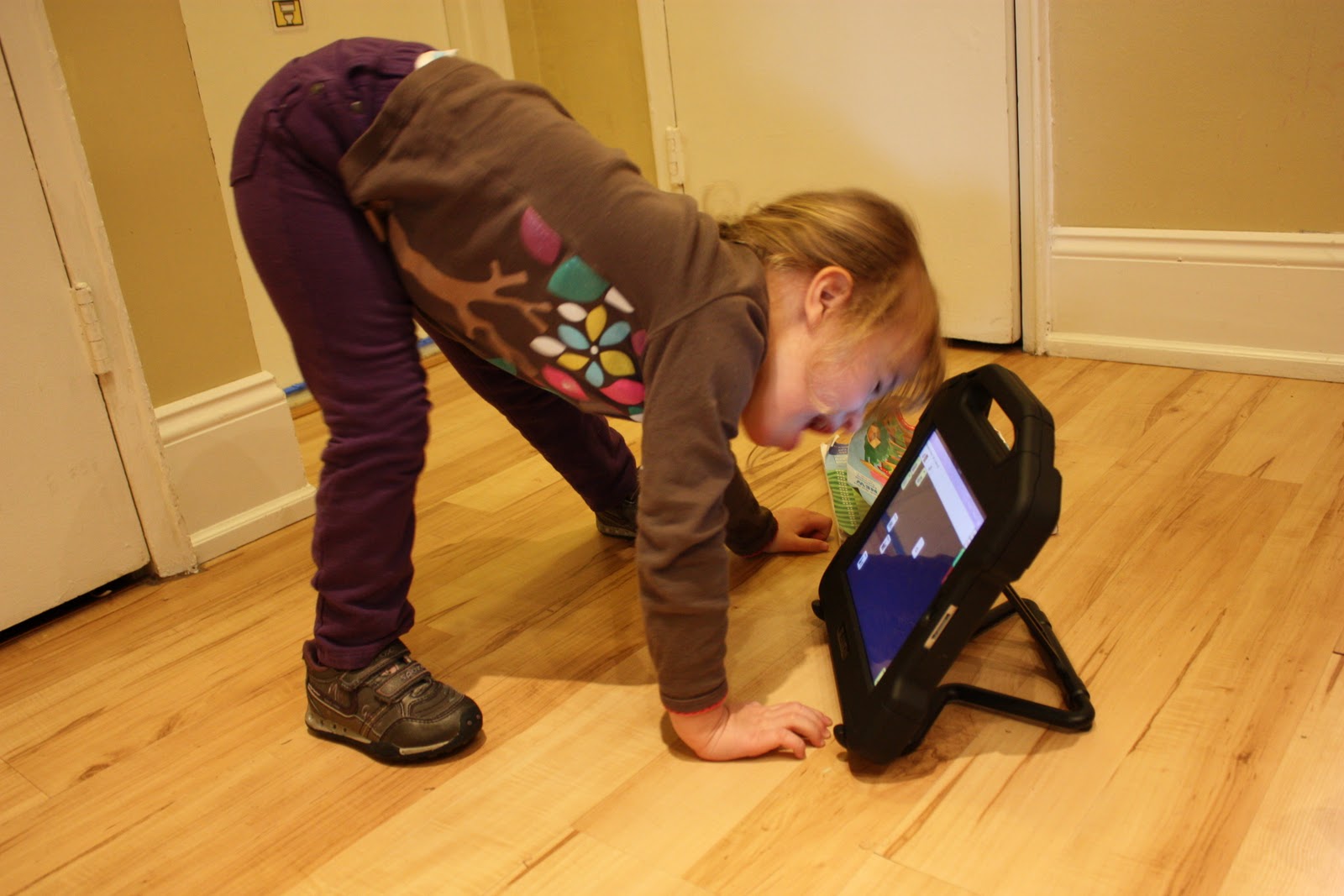
Yesterday morning, right after I downloaded SfY, Maya saw me toying with the iPad and came over to see what I was doing. After about thirty seconds I told Dave "get up and get the video camera!" because it was really neat to see how enthusiastically she responded to it.
Here's that video. Look at how excited she is. And notice how quickly she gets the hang of it:
So, the downside? I don't see much. No app (or device) is one-size-fits-all, so Speak for Yourself wouldn't work for everyone. Our biggest challenge will be the fine motor component, being able to isolate a finger and touch only one button one time (this would be a challenge with any device or app). I'm hoping that SfY will be motivating enough that it will actually build in some nice OT practice for us :)
Now comes the biggest variable---Maya. We've got the perfect technology, and it's time to get her on board. I'll be meeting with her teacher later this week to give her a demo, and then we'll start using it full time. If anyone has any great getting-your-kid-started-on-their device advice, feel free to send it my way.
She was a little overexcited. Hee hee.
I expect that I'm going to share a lot more about SfY and the progress that we make with it. I can't wait :)
Here's that demo video that got my attention.
Here is Speak for Yourself in the iTunes store. It's kind of expensive but, compared to other communication apps, I think it's well worth it. I'm happy to answer questions if you have them. You can also reach the creators of the app here.